MAGEN Training

Hands-on software training for your team

Training programs for SOLIDWORKS, SWOOD, SolidCAM, Cimatron, SOLIDWORKS Composer, Visualize, PDM and MAGEN Planner, planned around your team’s skill level and the way you work.

In a classroom, online or at your site, using your own models and products wherever the topic allows.

  • 10 training programsCAD, CAM, furniture, data management and visualization
  • Classroom · Online · On-siteDelivered in the way that suits your team
  • Tailored to your companyBuilt around your models and workflow

Training Catalog

Training programs by software and role

Every program can run at fundamentals or advanced level and is adapted to your company’s products and processes. Filter by category or go straight to the course you need.

CAD

Designer working on a helmet model in SOLIDWORKS

SOLIDWORKS Training

Covers the fundamentals and advanced techniques of 3D design in SOLIDWORKS, from part and assembly modeling to drawings, sheet metal and weldments.

Topics

  • User interface, sketching and sketch relations
  • Part modeling: features, patterns and configurations
  • Assemblies: mates, subassemblies and interference detection
  • Drawings: views, dimensioning and bills of materials
  • Sheet metal and weldments
  • Surface modeling and advanced part techniques
  • Templates, file properties and file management

Who it is forDesigners new to SOLIDWORKS, and machine, product and furniture designers who want to go deeper into advanced topics.

FurnitureCAD

Exploded view of cabinet and drawer units designed with SWOOD Design

SWOOD Design Training

Teaches you to model furniture inside SOLIDWORKS with SWOOD Design, ready for production with its panels, edge banding and hardware.

Topics

  • Box- and panel-based furniture modeling
  • Material and edge banding definitions
  • Placing hardware and connectors
  • Parametric modules and libraries
  • Cut lists and material reports
  • Costing: materials, edge banding and accessories

Who it is forDesign and product development teams at furniture, cabinet and interior manufacturers. Basic SOLIDWORKS knowledge is recommended.

FurnitureCAM

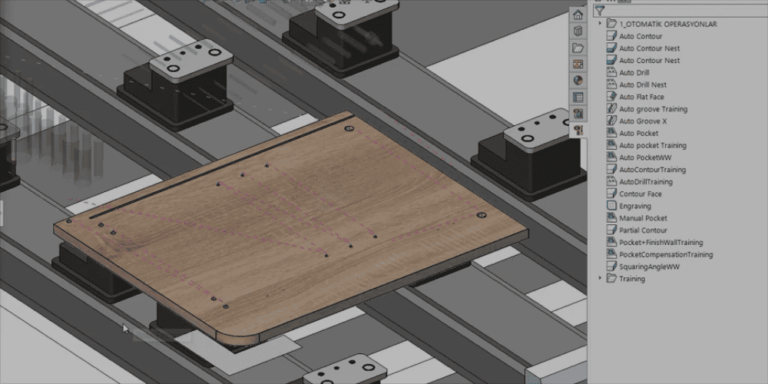
Wooden panel placed on suction cups, ready for machining in SWOOD CAM

SWOOD CAM Training

Shows how to turn parts designed in SWOOD Design into programs ready for your CNC machine, from machining strategies to post-processor output.

Topics

  • Drilling, milling, grooving and contouring strategies
  • Automatic machining of SWOOD Design features
  • Tool library and cutting parameters
  • Machine setup, table and suction cup positioning
  • Machining simulation and collision checking
  • Post-processor and CNC program output

Who it is forCNC programmers and production engineers in wood and furniture manufacturing.

FurnitureCAM

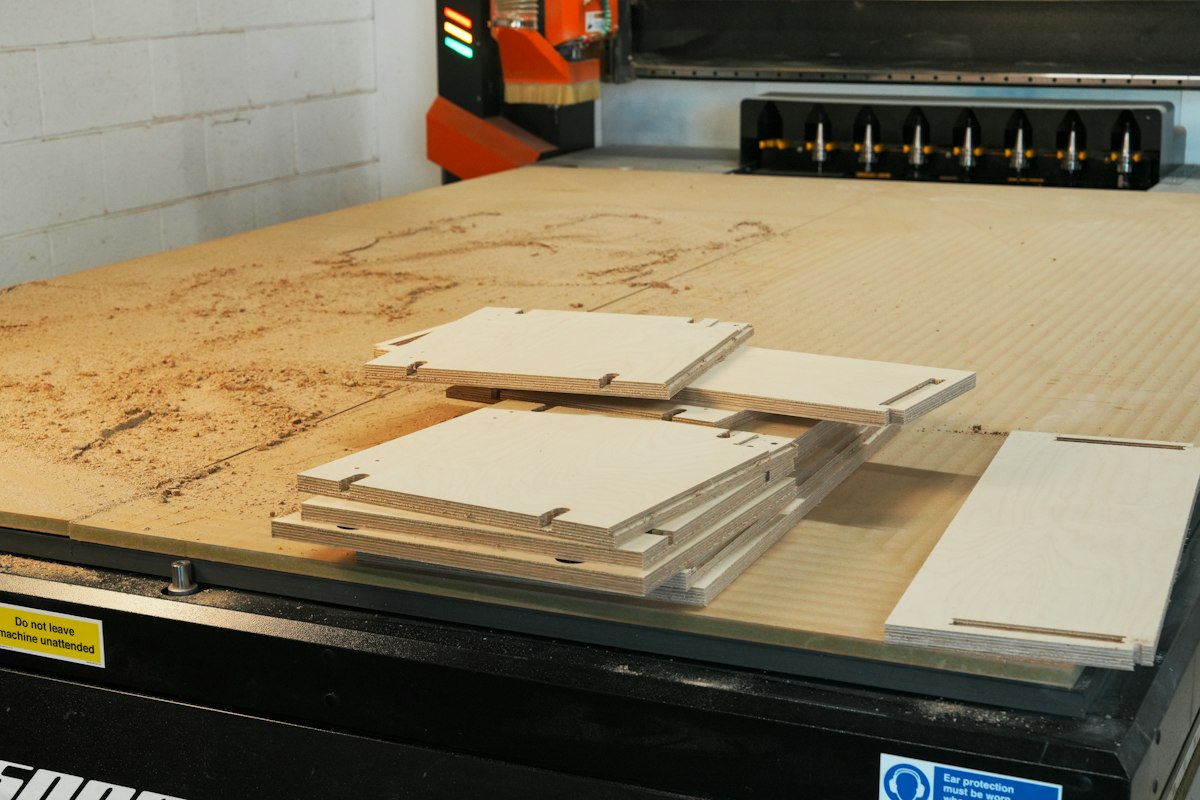
Furniture parts cut from a sheet on a CNC router table

SWOOD Nesting Training

Covers placing parts efficiently on sheets, managing offcuts and labeling the parts once they are cut.

Topics

  • Sheet and material stock definitions
  • Automatic nesting and nesting settings
  • Grain direction and part rotation rules
  • Offcut management and reuse
  • Part labels and label templates
  • Nesting reports and CNC output

Who it is forTeams responsible for cutting plans and CNC operations at furniture manufacturers that process sheet materials.

Visualization & Technical Communication

Exploded view of a turbine assembly prepared in SOLIDWORKS Composer

SOLIDWORKS Composer Training

Teaches you to create assembly instructions, technical illustrations, service documents and animations from 3D CAD data, and to refresh them from the updated model when the design changes.

Topics

  • Importing CAD data and preparing a project
  • Views, cameras and scene layout
  • Exploded views
  • Technical illustrations, parts lists and balloons
  • Step-by-step assembly and maintenance instructions
  • Animation and video output
  • Publishing: PDF, HTML, vector drawings and Composer Player

Who it is forTechnical writers, designers and service teams who produce user manuals, assembly instructions, spare parts catalogs and after-sales documentation.

Visualization & Technical Communication

Photorealistic wristwatch image rendered in SOLIDWORKS Visualize

SOLIDWORKS Visualize Training

A hands-on course in producing photorealistic images and animations from CAD models, including materials, lighting and camera setup.

Topics

  • Importing models and grouping parts
  • Assigning appearances and textures
  • Environments (HDR) and lighting
  • Cameras, depth of field and framing
  • Render settings and output quality
  • Camera, part and turntable animations
  • Showing product options with configurations

Who it is forDesigners and product or marketing teams who create images for catalogs, websites, presentations and campaigns.

Data Management

File list, version details and data card in a SOLIDWORKS PDM vault

SOLIDWORKS PDM Training

Teaches you to manage design data in a secure vault with versions, revisions and approval workflows. User and administrator training can be planned separately.

Topics

  • Vault structure and working in Windows Explorer
  • Check-out and check-in
  • Version and revision management
  • Data cards and search
  • Workflows, approvals and notifications
  • Bills of materials (BOM) and where-used references
  • Administration: users, groups and permissions

Who it is forDesign and engineering teams working with PDM, and the system administrators who configure and maintain the vault.

CADCAM

Plastic parts produced in a mold designed with Cimatron

Cimatron Training

A hands-on course in Cimatron, the CAD/CAM solution built for mold and tool making, covering the process from mold design to electrodes and NC programming.

Topics

  • Data import, healing and hybrid (solid and surface) modeling
  • Parting surfaces, core and cavity
  • Mold bases, standard components, cooling and ejection
  • Sheet metal die (progressive die) design
  • Electrode design and EDM output
  • NC programming: from 2.5-axis to 5-axis

Who it is forMold designers and CNC programmers at companies that build plastic injection molds and sheet metal dies.

CAM

Metal part being machined with a SolidCAM program

SolidCAM Training

Teaches CNC milling and turning programming with SolidCAM inside SOLIDWORKS, using your own parts wherever possible.

Topics

  • CAM part setup: machine, coordinate system, stock and target
  • 2.5-axis milling and drilling operations
  • iMachining 2D and 3D
  • 3D high-speed machining with HSM
  • Indexial and simultaneous 4/5-axis machining
  • Turning and Mill-Turn programming
  • Simulation and post-processor output

Who it is forCNC programmers, manufacturing engineers and workshops that want to take designs from SOLIDWORKS straight to production.

MAGENFurniture

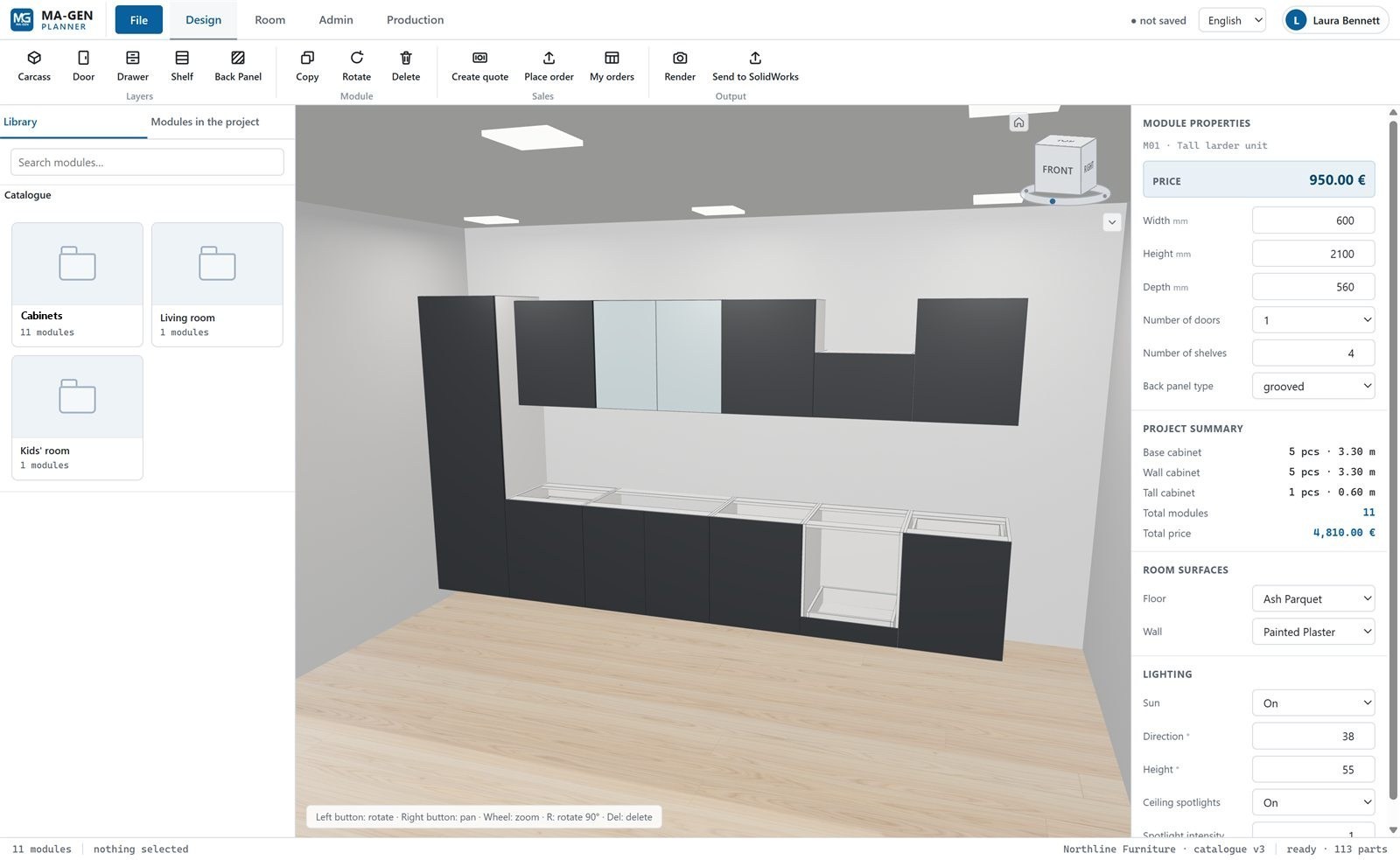
MAGEN Planner design screen with 3D view, module properties and price

MAGEN Planner Training

Delivered by the team that develops MAGEN Planner and split by role: administrators set up the catalog and pricing, while sales and production users learn the daily flow from design to order.

Administrators

  • Publishing modules to the catalog with the SOLIDWORKS add-in
  • Categories, subcategories and module images
  • Configuration: dimensions, doors, shelves, back panel, material
  • Pricing rules and prices from SWOOD costing
  • Users, discount limits and sales settings

Sales and production users

  • Room drawing and ready-made room templates
  • Placing and editing modules, rendering
  • Preparing quotes and the PDF quote document
  • Orders and the administrator approval flow
  • Sending orders to SOLIDWORKS in production

Who it is forCompany administrators who set up and run Planner, sales consultants, and production and technical office teams.

Training Formats

The right setting for your team

The same content can be delivered in three formats to fit the way you work.

Classroom Training

On scheduled dates, led by an instructor and in a group; every topic is followed by hands-on practice.

  • Practice-based lesson flow
  • Direct Q&A with the instructor
  • Focused time away from daily work

Online Training

Live and instructor-led: the instructor shares their screen and participants follow the same steps on their own computers.

  • Join from wherever you are
  • A flexible schedule split into sessions
  • Suited to teams in different cities

On-site Training

At your company, on your own computers, with exercises prepared from your own products and data.

  • Practice in your own working environment
  • The whole team brought to the same level
  • Templates and settings reviewed on site

Duration, schedule and number of participants are planned with you, based on the software, the scope of topics and your team’s level.

Training Process

From your request to support after training

Every course starts with understanding your team’s level and your goals.

  1. Skill assessmentIn an initial call we clarify participants’ current knowledge, the software version you use and what you expect from the training.
  2. Tailoring the contentWe adapt topics and exercises to your products, standards and workflow.
  3. Hands-on trainingEvery topic is reinforced with exercises participants complete on their own computers.
  4. ReviewA practical exercise at the end reviews what has been learned; a follow-up session can be planned for any gaps.
  5. Post-training supportOur technical support team helps with questions that come up in daily work, and advanced training can be planned when needed.

Frequently Asked Questions

Common questions about our training

What level is the training for? +

Courses can be planned from beginner to advanced level. Before training we discuss your team’s current knowledge and your goals, and set the level of the program together.

How are duration and price determined? +

Duration and price depend on the software, the scope of topics, the number of participants and the training format. Just fill in the form; we will discuss your needs and prepare a program and quote for you.

Can we train with our own models? +

Yes. Where the topic allows, we prepare exercises from your own parts and assemblies, furniture modules or product catalog, so what your team learns carries straight over to daily work.

How does online training work? +

Training is live: the instructor shares their screen and participants follow the same steps on their own computers. The relevant software needs to be installed on participants’ computers, and we check the setup with you before the course.

Can we combine several courses into one program? +

Yes. For a furniture manufacturer, for example, SOLIDWORKS fundamentals can be followed by SWOOD Design, SWOOD CAM, SWOOD Nesting and MAGEN Planner training as one program.

Who is MAGEN Planner training for? +

Planner training is split by role: administrator training is for the people who set up the catalog, module configurations and pricing rules; sales training is for the team preparing designs, renders, quotes and orders; production training is for the technical office that reviews orders and sends them to SOLIDWORKS.

Can we get support after the training? +

Yes. For questions that come up after the course, you can reach our technical support team.

Do you have video tutorials? +

You can watch SolidCAM application videos and short MAGEN Planner introduction videos on our Video Tutorials page.

MAGEN logo
MAGEN

Design · Sales · Production

Request Training

Tell us which course you need, how many people will attend and which format you prefer; we will plan the program and quote around your team’s needs.

Quote & Information Form