
Broad File Support
Works with .dwg, .dxf, .dwf, .dws and .dwt files and offers high compatibility with files saved in older releases as well as current ones.

2D CAD Software · Authorized Reseller
DraftSight is the DWG-based 2D CAD software from Dassault Systèmes, the company behind SOLIDWORKS. With a familiar interface, common 2D commands and LISP support, it speeds up drafting, detailing and drawing work. MAGEN supports you from choosing the right package to installation and migration.
What Is DraftSight?
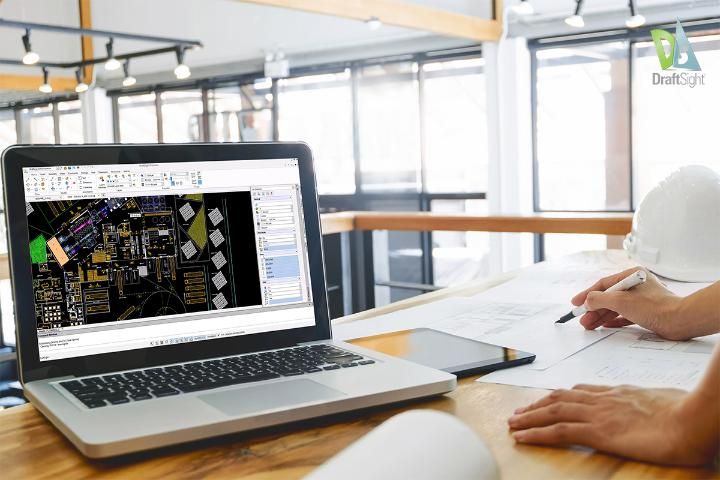
DraftSight is professional 2D CAD software that works natively with the DWG file format. It opens, edits and saves your DWG and DXF data in the same format without conversion, from drawings saved in older releases to current files.
The command line, layers, blocks and common 2D commands make it a familiar place to work, and you can keep using your existing LISP routines. Because it integrates with SOLIDWORKS PDM and 3DEXPERIENCE, your 2D drawings stay in the same data management setup as your 3D designs. At MAGEN we help you pick the right package and support you through installation, template setup and migration.
Key Features
Everything from everyday 2D drafting to automation and CNC output in one application.
Works with .dwg, .dxf, .dwf, .dws and .dwt files and offers high compatibility with files saved in older releases as well as current ones.
Integrates with SOLIDWORKS PDM and the 3DEXPERIENCE platform, making file management and teamwork easier.
Provides every tool your 2D work needs: drawing, editing, dimensioning, detailing, layers and blocks.
Speeds up repetitive work with tools such as PowerTrim, automatic dimensioning, dynamic blocks, the layer manager and parametric constraints.
Automate tedious or repetitive tasks with macros and LISP; code written in AutoLISP and Visual LISP can be loaded as well.
Turns 2D drawings into G-code (.txt) files that CNC machines can read, saving time on simple cutting and machining programs.
Easy Migration
Packages
Three packages, from company-wide 2D drafting to mechanical drawing standards. Ask for a quote for pricing and an up-to-date comparison.
Corporate 2D CAD
A complete 2D toolset, deployed across the company with network licensing.
Advanced 2D + 3D Tools
For more demanding drafting with parametric constraints, dynamic blocks and 3D tools.
Machine Design
For machine design teams that need bills of materials, balloons and mechanical drawing standards.
Package contents may be updated by the manufacturer. We send the current comparison and pricing with your quote.
MAGEN Support
We look at how you draft and how many users you have, then choose with you between Enterprise, Enterprise Plus and Mechanical and the right licensing model.
Installation, network license setup, template and layer standards, plus checks on your LISP routines and existing DWG archive for a smooth move.
We train your users on DraftSight and help with everyday drafting and licensing questions through our technical support.
Who Is DraftSight For?
From architectural plans to machine layouts, from electrical schematics to sheet metal cutting drawings, teams that work in 2D use DraftSight every day.
Frequently Asked Questions
Yes. DraftSight opens, edits and saves DWG and DXF files natively and also supports DWF, DWS and DWT. You can keep working with drawings saved in older releases too.
DraftSight supports loading LISP code written in AutoLISP and Visual LISP. We test the routines you rely on with you before the move, so there are no surprises.
Enterprise suits core 2D drafting with network licensing; Enterprise Plus adds parametric constraints, dynamic blocks and 3D tools; Mechanical is for machine design that needs bills of materials, balloons and mechanical drawing standards. Have a look at the package comparison and we will decide together.
Perpetual and term licenses are available. Besides licenses tied to a single computer, network licenses can be shared among users across the company. We confirm the right setup for your user count and way of working at the quotation stage.
Yes. DraftSight and SOLIDWORKS come from the same manufacturer, and DWG data moves easily between the two. Because DraftSight integrates with SOLIDWORKS PDM and 3DEXPERIENCE, your 2D drawings live in the same data management setup.
Yes. Fill in the form and we will help you with a trial installation and your first drawings, then choose the right package with you.
References
We work with companies across many industries that share our goal of efficiency, quality and sustainable success in production.

Authorized DraftSight Reseller
Let’s find the DraftSight package that fits your drafting work. Send us your request and we will get back to you with a package comparison, licensing options and a trial installation.