

SOLIDWORKS PDM
Your design data in one vault, always at the right version
SOLIDWORKS PDM keeps parts, assemblies and drawings together with related documents in a central vault, tracks versions and revisions, and manages approvals. “File not found” errors, duplicate parts, outdated production files and revision confusion are left behind, and your team always works on the right file.
Key Features
Turn file chaos into a controlled process
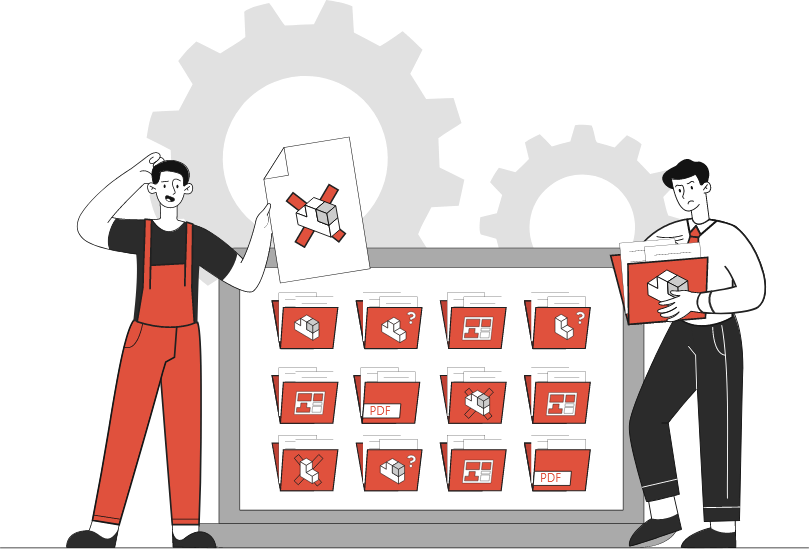
Copies multiplying in network folders, files being overwritten and uncertainty about which drawing went to production are among the most common problems in design teams, and building from old, outdated data leads to costly mistakes. SOLIDWORKS PDM manages files together with the references between them: open an assembly and you get the parts at the right version; change a part and you see which assemblies and drawings are affected. Production works from the latest data approved by the design team.
- Central file vault for every file type: CAD, Office, PDF and more
- User and group permissions
- Conflict-free teamwork with check-out and check-in
- Version and revision history, roll back to earlier versions
- Automatic file numbering (serial numbers)
- Digital approval workflows for drawings and documents, with notifications
- Where-used and reference tracking
- Bills of materials (BOM) and data transfer to ERP
File Vault
All design data in one place, with the right permissions
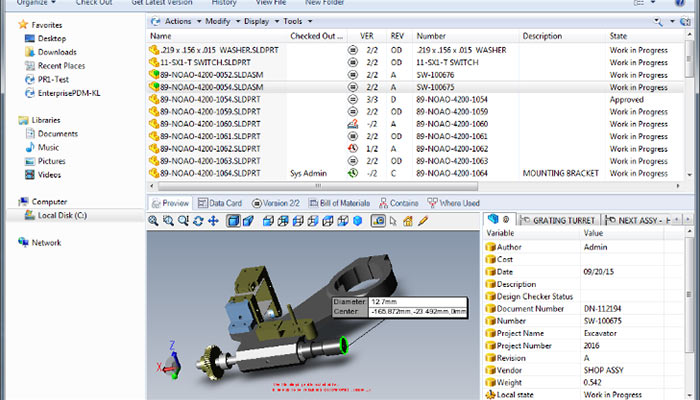
Parts, assemblies and drawings are stored in the vault together with related documents such as PDF, Office and DWG files. The vault opens from Windows Explorer and inside SOLIDWORKS, so there is no separate program to learn. Information on data cards, such as part number, description, material and project, is mapped to file properties and used in searches, and automatic numbering keeps the same part from multiplying under different names. User and group permissions let you decide who can see and change what.
Versions and Revisions
Always clear which drawing is current
A file is checked out to be edited and a new version is created when it is checked back in, so two people cannot overwrite each other’s work. Every change is recorded; revisions are issued with approval according to your company’s scheme (A, B, C or 01, 02…), and earlier versions can be opened and compared. A where-used query shows in advance which assemblies and drawings a change to a part will affect.
Workflow
From design to approval, from approval to production
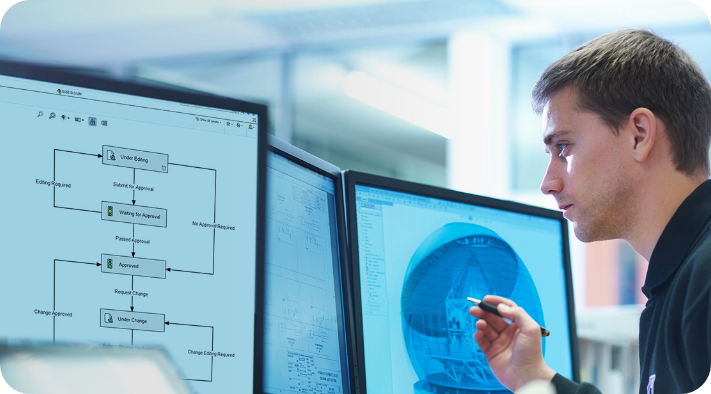
Workflows define a file’s life cycle: states such as “In Design”, “In Review”, “Approved” and “In Production”, and the transitions between them. Drawing and document approvals run digitally instead of circulating on paper; permission, required-field and notification rules run on every transition, and once a file is approved its revision is incremented and editing is locked. In PDM Professional, tasks attached to transitions can create PDF, DXF or eDrawings output automatically at the moment of approval.
Bill of Materials and ERP
The right bill of materials, to production and ERP
Assembly BOMs are calculated from the files in the vault and shown together with their version; in PDM Professional, named BOMs keep an approved copy of the list that went to production. Approved parts and BOMs can be passed to your ERP system through data export on workflow transitions, CSV/XML export or the API. We work out with you which fields are transferred, at which stage and in which format, to match your workflow.


SOLIDWORKS Manage
Project, process and product structure management
SOLIDWORKS Manage is a lean PLM solution built on PDM Professional; because it needs less infrastructure and consulting than traditional PLM, it is quick to put into service. It plans projects with Gantt charts, milestones, tasks and resources, balances workloads with capacity management, and runs processes such as change requests and change orders with rule-based approvals. It organizes product structures and BOM variants that include items without drawings, such as electrical components or packaging, and makes progress visible with dashboards and reports exported to your Office templates. The Manage add-in works inside PDM and SOLIDWORKS, and users who do not need Manage features can stay on PDM licenses. For details, see SOLIDWORKS Manage and SOLIDWORKS PDM in the product family.
PDM Implementation with MAGEN
From installation to your first approved revision
How much you get out of PDM depends on how well it is configured for your company, so PDM should be planned as an implementation project, not just an installation. We review your current folder structure and way of working, configure the vault, data cards and workflows for your company, and move your team to the new setup with you.
- Review of your current files and folder structure
- Server and SQL Server installation and sizing
- Vault, folder templates and data cards
- Workflows, revision scheme, numbering and permissions
- Migration of existing data into the vault with reference checks
- Administrator and user training
- Backup, update and version upgrade plan
