

2.5-Axis Milling
The Most Powerful and Easiest Way to Create 2.5-Axis Toolpaths!
Program your CNC milling operations quickly and under control with an easy interface, powerful toolpaths and full integration with SOLIDWORKS.

Overview
The Most Powerful and Easiest Way to Create 2.5-Axis Toolpaths!
SolidCAM 2.5-Axis Milling speeds up CNC milling preparation with its easy interface and powerful toolpath technologies. Thanks to full integration with SOLIDWORKS, you can work from a part, an assembly or a 2D drawing and manage design and production information in the same flow.
Add fixtures and auxiliary components to the workspace to evaluate real production conditions in advance. Bring profile, pocket, hole and contour operations into a controlled, repeatable programming process.
Manual or Automatic: Your Choice!
A way of working that fits every user level
SolidCAM offers both manual and automatic ways of working in 2.5-axis machining. Automatic pocket and hole recognition lets you create operations quickly, while advanced users keep detailed control over geometry selection, parameters and machining strategies.
2.5-Axis Milling Features
Combine different operations in one controlled flow
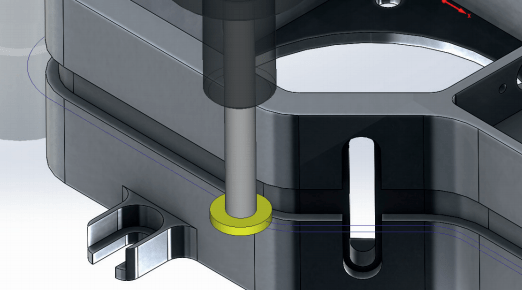
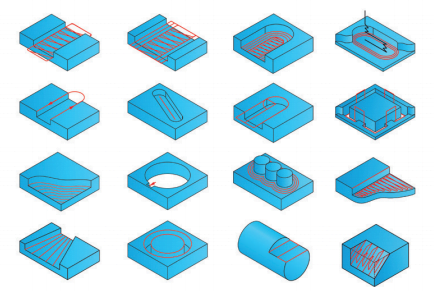
Plan roughing and finishing toolpaths for profile, pocket, hole and contour operations based on the part geometry. Edit contours with tools such as offset, trim and extend without touching the CAD model, and calculate the remaining material so that subsequent operations are applied only where they are needed.
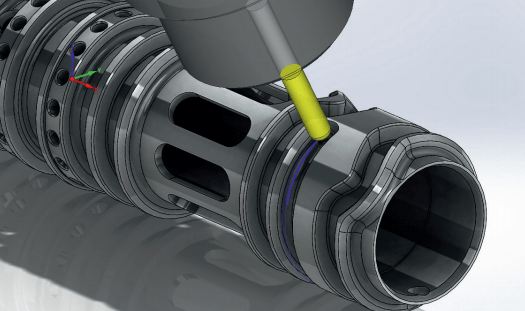
In addition to chamfering and internal/external threading, you can engrave text onto flat or formed surfaces and machine 3D contours at different depths. Rotary-axis wrapping turns linear moves into rotary motion, while T-slot and special operations bring non-standard geometries into the production flow as well.
Automatic Hole Recognition
Speed up repetitive hole operations
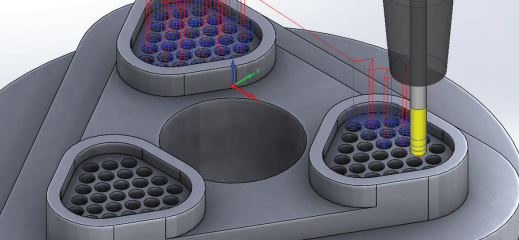
Automatically detect the holes in the solid model and group them by diameter, depth and position. Pass the recognized features to suitable drilling, reaming or stepped-hole operations, so you no longer select large numbers of holes one by one and programming time drops.
Pocket Recognition
Recognize pockets and prepare the operation fast
Automatically recognize open and closed pockets with their different depths and sizes. Keep using standard pocketing strategies in the detected areas while planning the material removal order and the roughing and finishing operations to match your production goals.
Cycle Library
Keep your standard on recurring geometries
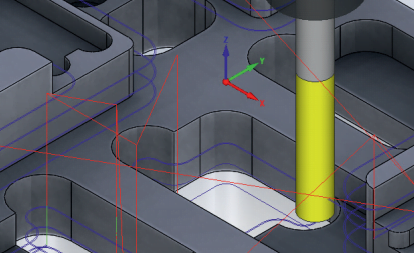
Reuse ready-made cycles you have prepared for specific geometries such as slots, corners and islands. In contract manufacturing, program the different parts that arrive each time more quickly while keeping your approved machining approach.
